Why Is My Hedge Trimmer Not Working? Common Causes and Fixes
Most hedge trimmers that stop working have a simple cause: no power reaching the motor, dull or gummed-up blades, or a jam from a stuck branch. Start by disconnecting the power, then check the battery or cord, clear and clean the blades, and oil them. If the motor runs but the blades barely move, or the tool still cuts out after those steps, the problem is likely a worn part that needs a repair or a replacement.
 EGO Power+ HT2601Best overall
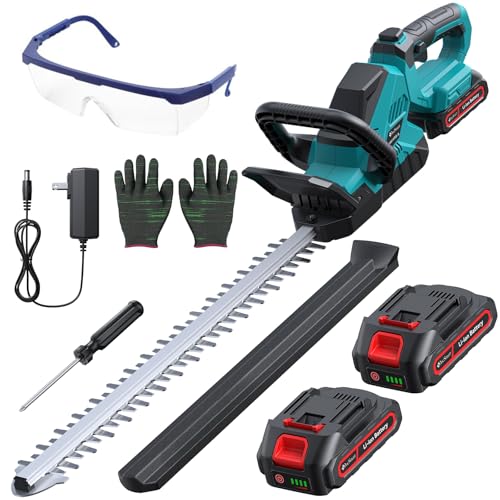 DocSmart HT02-BLongest listed runtime
 BLACK+DECKER BEHT150Corded and lightweight
Start with safety, then sort by symptom
Before you look at anything, remove the power. Unplug a corded trimmer, or take the battery out of a cordless one. Blades can move the moment a switch is touched, and a stuck blade can release suddenly when you free a jam. Wear thick gloves and eye protection for any inspection, and never put your fingers near the blades.
Then match what you see to one of these symptoms. The fix for a trimmer that will not start is very different from the fix for one that starts and then bogs down.
Most problems fall into four groups:
- Nothing happens when you squeeze the trigger
- The motor hums or runs, but the blades do not move
- The blades move but cut poorly or tear the leaves
- The trimmer cuts out, loses power, or stalls under load
If nothing happens at all
A dead trimmer is usually a power supply problem. On a corded model, test the outlet with a lamp or phone charger. Check the extension cord for cuts, kinks, or a loose plug connection. Many corded trimmers also have a cord retention hook, like the one on the BLACK+DECKER BEHT150, so make sure the cord is seated and the plug is fully in. If the outlet is on a GFCI circuit, press the reset button, since outdoor outlets trip often.
On a cordless model, check the battery first. Make sure it clicks fully into place, and look at the contacts on both the battery and the tool for dirt, corrosion, or bent metal. Charge the battery fully, then try again. A battery that will not hold a charge, or a charger whose light never changes, points to a worn battery or a bad charger.
Next, look at the safety features. Many trimmers have a lock button or a two-handed switch that must be held before the trigger works. Some have a thermal or overload cutoff that shuts the tool down after heavy use. If the tool is warm, let it rest for several minutes before trying again.
If the motor runs but the blades do not move
This one worries people, but the cause is often mechanical and sometimes simple. With the power removed, look for a branch, twig, or wad of leaves wedged between the blades. Clear it with gloves on and a stick or pliers, not bare fingers. Then move the blades by hand a little to check for stiffness.
If the blades are free but still do not move, the gearbox is the likely culprit. The motor spins, but the gears that turn that spin into the back and forth cutting motion may be worn, stripped, or out of grease. Some models have a serviceable gearbox, which makes repair more realistic. Others are sealed units where replacement of the whole tool is easier.
Loose or damaged blade bolts can also cause trouble. If you see a gap between the blades and the housing, or hear grinding, stop using the trimmer and have it inspected.
If it will not cut cleanly
Dull, dry, or sap-covered blades are the most common reason a working trimmer seems weak. Resin and plant debris build up between the blades and add friction. The result is torn leaves, ragged edges, and a motor that has to work harder.
Try this routine:
- Remove the power source and put on gloves.
- Wipe the blades with a rag and a resin cleaner or rubbing alcohol to remove sap.
- Check the edges for nicks, bends, or rounded teeth.
- Apply a light machine oil or blade lubricant along both blades.
- Run the trimmer briefly in open air to spread the oil, then wipe off any excess.
If it cuts out, loses power, or stalls
Cutting out part way through a job usually means the tool is protecting itself or not getting steady power. For a cordless trimmer, a battery that is low or aging can cause the tool to shut off under load even if it started fine. Cold weather also reduces battery output, so let the pack warm to room temperature before use.
Overload is the other big cause. Every trimmer has a rated branch thickness, and pushing past it makes the blades stall. On our best hedge trimmer page, the ranked models list capacities from 0.625 in to 1.2 in. A trimmer rated for 0.625 in, such as the BLACK+DECKER BEHT150, is meant for soft new growth, not old woody stems. Cutting thick wood with a light-duty tool will cause stalling and heat.
For corded trimmers, a long or thin extension cord can starve the motor of power. Use a cord rated for outdoor use and sized for the tool. If the trimmer cuts out when the cord moves, the problem may be a damaged wire inside the cord or a worn switch.
Quick reference: symptom, cause, first fix
Use this table to narrow things down before you spend time on repairs.
| Symptom | Likely cause | First thing to try |
|---|---|---|
| Dead, no sound | Outlet, cord, battery, or safety lock | Test the outlet, reseat the battery, check the lock |
| Motor runs, blades still | Jam or worn gearbox | Clear debris with power removed, then inspect the gearbox |
| Tears leaves, weak cut | Dull or sticky blades | Clean, oil, and check blade edges |
| Cuts out mid-job | Low battery, overheating, or weak cord | Recharge, rest the tool, use a proper cord |
| Stalls on thick stems | Branch too thick for the tool | Prune thick wood with loppers or a saw |
| Rough vibration or noise | Loose bolts or damaged blades | Stop use and inspect before running again |
Prevent problems and know when to replace
A few habits keep most trimmers running. Clean and oil the blades after each session. Store the tool dry, and keep batteries indoors at moderate temperatures. Do not cut wet hedges when you can avoid it, since damp debris clogs the blades faster. Check the manual for gearbox and blade care too, because it varies by model.
Also check your warranty before paying for repairs. Warranty terms listed for ranked models range widely, from 2 years on the BLACK+DECKER to 5 years on the EGO POWER+ HT2601, and one ranked model lists none. Keep your receipt and model number handy.
If the trimmer has a failed gearbox, a battery that no longer holds a charge, or a burnt smell from the motor, repair may cost more effort than it is worth. Be sure to check whether the battery is sold separately. The Greenworks 40V model on our list, for example, is listed without a battery included, so the battery matters as much as the tool.
When you do replace it, match the new tool to your hedge instead of buying the same size again. Our best hedge trimmer page compares blade length, branch capacity, weight, and power source in one place. If your old trimmer stalled often, that may mean you need more cutting capacity. Visit the hedge trimmer comparison to see which models list a 1 in or larger capacity for woody growth.
Frequently asked questions
Is it safe to fix a jammed hedge trimmer myself?
Yes, if you remove the battery or unplug the cord first and wear heavy gloves. Never clear a jam with the power connected, and never use your bare fingers.
How often should I oil the blades?
Oil them after each use, and again during long sessions if the blades feel dry or start to drag. Clean off sap first so the oil can reach the metal.
Can a bad extension cord make my trimmer lose power?
Yes. A cord that is too long, too thin, or damaged can reduce the power reaching the motor. Use an outdoor-rated cord suited to the tool.
Why does my cordless trimmer work for a minute and then stop?
The battery may be worn, cold, or not fully seated, or the tool may be overheating from thick branches. Let it cool, charge the battery, and try lighter cuts.