Why Is My Heavy Duty Stapler Not Stapling? Causes and Fixes
Most heavy duty staplers stop working for one of four reasons: the wrong staple size, a badly loaded strip, a stack thicker than the stapler can handle, or a jammed staple in the channel. Start by clearing any jam, then reload a fresh, matching strip and try a thinner stack. If it still fails, the anvil or a worn part is the next thing to check.
 Swihauk NN0652ABest everyday desk stapler
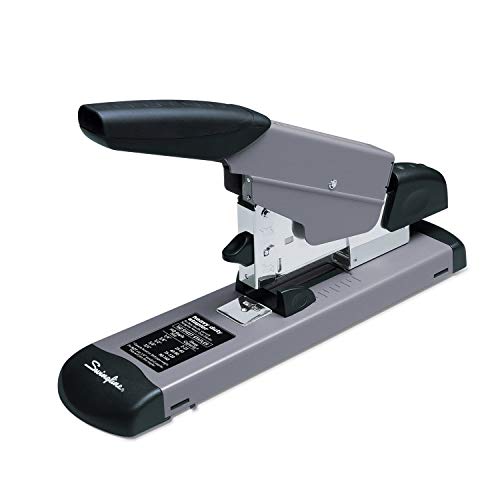 Swingline S7039005ABest Swingline
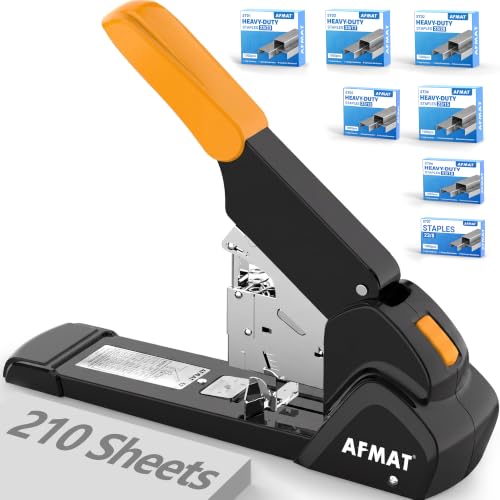 AFMAT ES15ORHighest capacity
Start with the quick checks
Before taking anything apart, run through the basics. Most stapling problems come from the staples or the stack, not from a broken stapler.
Work through these in order. Each one takes under a minute, and together they solve most cases.
- Open the stapler and look for a bent or stuck staple at the front of the channel.
- Check that the staple strip is the right size and sits flat in the magazine.
- Make sure the strip is not empty. A low strip may feed one staple, then stop.
- Try a thinner stack of paper to see if the stack is the problem.
- Press firmly and fully, with the base on a hard, flat surface.
Wrong staple size is the top cause
Heavy duty staplers are picky. A staple that is too short will not reach through a thick stack, and one that is too long can buckle or bend sideways. Either way, you get a jam or a staple that never fires.
The Amazon Basics E0485 is a good example. Its listing notes that it has to be used with heavy duty staples or it will not work properly, and it ships with 15/16 in heavy duty staples for 160 to 210 sheets. The Swingline 160-sheet model takes leg lengths from 1/4 in to 3/4 in, and its listing says it performs well only with the staples matched to the sheet count.
The Bostitch Titan shows how this works at a smaller scale. Standard 1/4 in staples are meant for 2 to 25 sheets, while 5/16 in extended staples are for 26 to 50 sheets. If you use the short staples on a 40-sheet stack, expect trouble.
Check your stapler's manual or the label on the box for the matching staple code, and keep a few lengths on hand. Our best heavy duty stapler page lists the accepted staple sizes for each model, which helps when you are buying a new box.
Match the stack to the stapler
Every stapler has a sheet capacity, and pushing past it is a common reason for staples that fold over or never fully close. Capacity also depends on paper weight. For example, the AFMAT ES15 listing gives different ranges for 70gsm, 80gsm and thicker coated paper, so a stack of glossy pages counts as thicker than plain copy paper.
A desk stapler that handles 50 sheets, like the Swihauk or the Bostitch Titan, will struggle on a 100-page report. A model rated for 160 to 220 sheets handles that stack easily, but may be too much for just a few pages.
If you regularly staple more than your stapler allows, splitting the stack into two sets is a short-term workaround. Long term, a higher capacity model makes more sense. Our heavy duty stapler comparison puts capacities side by side so you can pick one that fits your thickest regular job.
How to unjam a heavy duty stapler
A jam usually means a staple has bent in the channel or has not fully left the stapler. Many heavy duty models have front jam clearing, including the Amazon Basics E0485, the Swingline 160-sheet and the Bostitch Titan, so check your model for a release latch or front plate before using tools.
Safety first: staples can spring out when you clear a jam. Wear safety glasses, keep your face and fingers away from the staple exit, and never point the stapler at anyone. Do not use your fingertips to dig out a stuck staple.
- Remove any paper from the stapler.
- Open the magazine or release the front jam plate, following your manual.
- Take out the staple strip so it is not pushed forward while you work.
- Pull out the bent staple with needle-nose pliers or tweezers, gripping it from the side.
- Check the channel for small pieces of wire or paper dust, and clear them.
- Reload a fresh strip, close the stapler, and test on a few sheets.
Check the anvil, loading and wear
If the staples fire but do not fold properly, look at the anvil, the small metal plate under the exit. Some models have a convertible anvil. The AFMAT ES15 listing mentions one for different paper thicknesses, and the Swihauk lets you reverse the anvil for pinning. If yours is set to the wrong position, the legs will not bend cleanly.
Loading matters too. A strip that is crooked, or a magazine that does not click shut, can stop staples from advancing. Some models have a staple window or low-staple indicator, which is worth checking before you assume the stapler is broken.
Wear is possible after years of heavy use. An all-metal stapler lasts longer, but a bent driver blade or a weak spring can keep staples from firing. If you have cleared jams, matched the staples and checked the anvil, and it still fails, replacement is usually easier than repair.
Quick troubleshooting table
Use this table to match what you see with the likely cause.
| What you see | Likely cause | What to try |
|---|---|---|
| Nothing comes out | Empty or badly loaded strip | Reload a fresh, matching strip |
| Staple bends in the channel | Wrong size or a jam | Clear the jam, use the right staple length |
| Staple goes in halfway | Stack too thick or low force | Reduce the stack, press fully, use longer staples |
| Legs do not fold flat | Anvil position or worn parts | Check the anvil setting, then inspect for wear |
| Stapler feels stuck | Debris or a bent staple | Open it and clean the channel |
Keep it from happening again
Buy staples that match your model and store them dry, since rusty or bent strips jam more. Avoid mixing old and new staples in the same magazine.
Staple on a firm, flat surface and use a steady, full press. Non-slip bases, like those on the Amazon Basics and Swihauk models, help the stapler stay put while you press. Reduced-effort designs can also ease the strain if you staple often or have hand or wrist pain.
If you are replacing your stapler, pick one that fits your usual stack size rather than the biggest number on the box. A model with jam clearing and an all-metal build will be easier to live with.
Frequently asked questions
Why does my stapler staple once and then stop?
The strip is probably running low or not advancing. Open the magazine, check that the strip sits flat and that the spring pushes it forward, then add a new strip.
Can I use regular staples in a heavy duty stapler?
Only if your model accepts them. Many heavy duty staplers need a specific size, and the wrong one can jam. Check the staple code in your manual.
Why do the staple legs stick out instead of folding?
Either the stack is thicker than the staple legs can wrap around, or the anvil is set for a different thickness. Try a longer staple or adjust the anvil if your model has one.
Should I oil my stapler?
Usually not. Oil attracts dust and can make the channel sticky. Clean it with a dry cloth or a soft brush instead, and follow your manual if it suggests lubrication.
Is it safe to clear a jam with the stapler loaded?
It is safer to remove the staple strip first. Wear eye protection and keep your fingers away from the exit while you work.