Why Your Professional Car Diagnostic Tool Is Not Working (and How to Fix It)
Most diagnostic tools that seem broken have a simple cause: no power at the OBD port, the wrong ignition position, a pairing problem, outdated software, or a vehicle or function the tool does not cover. Work through those in order before assuming the tool is faulty. If the tool connects but a feature is missing, check its published coverage list, because many tools are not built for that function.
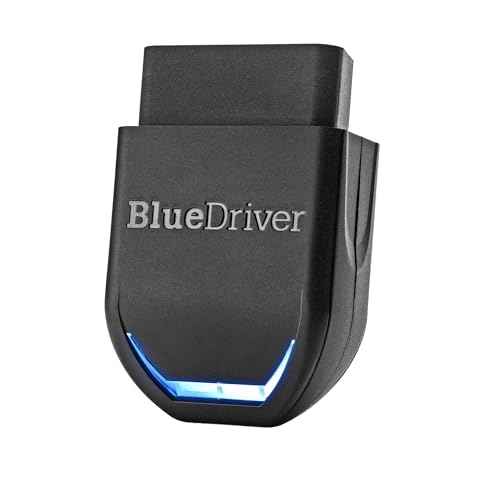 BlueDriver ProBest overall
 FOXWELL NT604EliteBest handheld 4-system
 XTOOL XTOOL D5 OBD2 Scanner Diagnostic ToolBest for home maintenance
Start with the basics: power, port and ignition
The OBD2 port is under the dash on most cars, and it supplies power to the scanner. If the port has no power, the tool will not turn on or will fail to link. A blown fuse is a common reason, and the same fuse often feeds the cigarette lighter or other accessories. Your owner's manual shows which fuse to check.
Ignition position matters too. Many tools need the key on, or the engine running, before the car's modules will answer. A tool that powers up but says it cannot communicate is often waiting on this.
- Plug the tool in firmly and check for bent or dirty pins in the port.
- Turn the ignition to the on position, or start the engine if the tool asks you to.
- Check the fuse that powers the port and any other accessories on the same circuit.
- Try a different cable if your scanner is wired, since cables wear out.
- Check that the car's battery is healthy. A weak battery can cause odd communication errors.
The tool powers on but will not connect to the car
If the tool has power but cannot link, the next suspect is vehicle compatibility. Standard OBD2 applies to gas vehicles made in 1996 or newer in the US. For example, the BlueDriver Pro listing says it works with all gas-powered vehicles from 1996 on, plus select light-duty trucks and diesels. An older car or an unusual vehicle may simply be outside what a tool supports.
Newer cars add another layer. Some modern vehicles use newer communication standards or secured gateways. The XTOOL D5 listing, for instance, mentions CAN FD and FCA AutoAuth support for compatible modern vehicles. If your tool does not list the standard your car uses, it may not be able to reach some modules.
Automatic VIN reading can also fail. The FOXWELL NT604 Elite listing notes that AutoVIN may not work on some older vehicles or certain brands. If it fails, enter the VIN manually or pick the vehicle from the diagnostic menu.
It connects, but data or systems are missing
This is the most common complaint with professional tools. The tool links up, but you see only the engine, or a module you expected is missing. Coverage depends on the tool, the make, the model year and the control module itself. Our best professional car diagnostic tool page lists the systems each scanner covers, so you can compare before you buy.
Some vehicles combine modules. The XTOOL D5 listing says some cars may show 3 systems when the engine and transmission are integrated, so a missing system is not always a fault.
The table below matches common symptoms to likely causes.
| Symptom | Likely cause | What to try |
|---|---|---|
| Tool will not turn on | No power at the port or a damaged cable | Check the fuse, pins and cable |
| Says no communication | Ignition off, or unsupported vehicle | Turn the key on, then check the coverage list |
| Only engine codes appear | Basic coverage or an unsupported module | Check the systems the tool covers |
| Live data is blank | Sensor not supported on that vehicle | Try another data item or run an Auto Scan |
| Function is greyed out or missing | Tool lacks that service function | Check the features list for that function |
| Bluetooth will not pair | Phone permission, app or distance issue | Re-pair and check the app settings |
The tool does not support that function
Reading codes and running a service procedure are different jobs. Many scanners are built to read, clear and show live data, and nothing more. The FOXWELL NT604 Elite listing is clear about this: it covers Engine, ABS, SRS and Transmission, and does not support bidirectional active tests, ABS bleeding, oil reset, battery registration, throttle body relearn or key programming. That is a design limit, not a defect.
Tools with service functions list them. The XTOOL D5 listing names 10 service functions, including EPB service, ABS bleeding, throttle body relearn, oil reset, TPMS reset, BMS reset and SAS reset. Even then, it says functions vary by make, model, year and ECU.
One more point: a scanner diagnoses, it does not repair. The FOXWELL listing notes that a warning light will only stay off once the underlying problem is physically fixed. If a code returns right after clearing, the fault is still there.
Check the software and updates
Outdated software can cause missing vehicles, failed connections and odd errors. Many tools have an update menu that shows the app and boot version. The FOXWELL NT604 Elite listing says that if the version number appears in red, you should update it to the latest version. It also lists lifetime free updates.
Update terms differ between tools, so check them. Some include free updates for life, as the XTOOL D5 listing says, while others tie updates to a subscription. If your tool has not been updated in a while, connect it to Wi-Fi or a computer and run the update first.
Bluetooth tools and brand-specific cars
Bluetooth scanners add a few extra failure points. The adapter plugs into the port and talks to a phone or tablet app, so a problem can sit in the adapter, the phone or the app. Turn Bluetooth on, grant the app its permissions, remove old pairings and pair again. Keep the phone close to the adapter.
Brand matters as well. A general tool covers many makes but may go less deep on one of them. If you work mostly on one brand, a make-specific scanner can reach more modules and services. Our best diagnostic tool for BMW page compares options that go deeper on that brand. For general coverage, the BlueDriver Pro listing names support for brands including GM, Ford, Toyota, Honda, BMW and VW, with details in its compatibility chart.
Safety and when to stop troubleshooting
Never read a scanner while driving. If you need live data on the road, have a passenger watch the screen. Keep cables clear of pedals, the steering column and moving engine parts.
Be careful around the SRS (airbag) system. Do not probe airbag wiring or connectors yourself. Use the scanner only to read codes, and let a qualified technician handle airbag repairs. For electrical checks, such as testing a fuse, turn the ignition off first and avoid shorting terminals with metal tools. Wear safety glasses when working under the hood.
If your tool still will not work after the steps above, check its coverage list against your exact make, model and year, and contact the seller with your VIN. Some listings, like the XTOOL D5, offer a compatibility check before purchase.
Frequently asked questions
Why does my scanner work on one car but not another?
Coverage differs by make, model, year and module. A tool can fully support one vehicle and have limited or no support for another, so check each car against the coverage list.
Can a bad cable cause a no-communication error?
Yes. A worn cable or bent pin can break the link even when the tool powers on. Try a different cable or inspect the port pins.
Does clearing a code fix the problem?
No. Clearing only erases the stored code. If the fault is still present, the warning light and code will return.
Do I need to start the engine to scan?
It depends on the tool and the task. Many tools need the ignition on, and some tests need the engine running. Follow the prompts on the screen.
Should I buy a different tool if mine lacks a feature?
If you need bidirectional tests or service resets, yes, choose a tool that lists them. A code reader cannot be updated to add functions it was not built with.