How to Sharpen a Lawn Edger Blade Safely and When to Replace It
You can touch up a steel edger blade with a mill file in about 15 minutes. Remove the power source first, take the blade off, and file the leading edges at their original angle. If the blade is bent, cracked, or worn down short, replace it instead, because edger blades are designed to wear down rather than hold a razor edge.
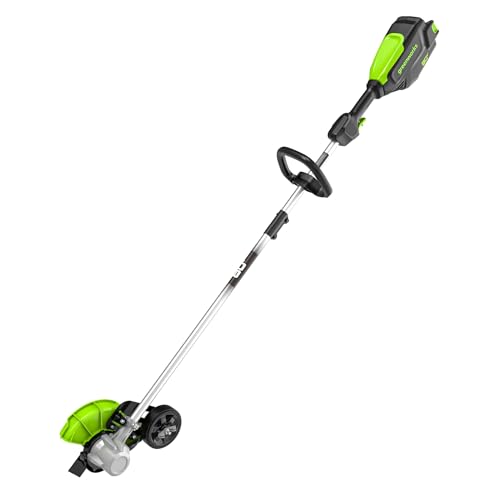 Greenworks ED80L02Deepest cut, most settings
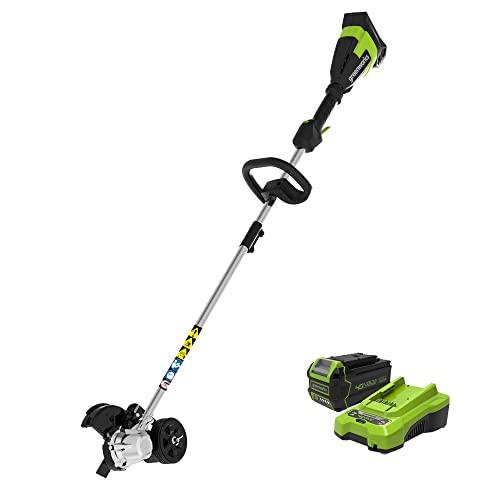 Greenworks ED40L410Battery and charger included
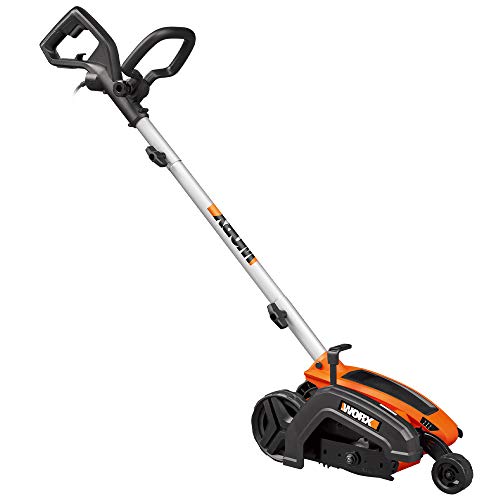 WORX WG896Corded with trenching mode
Sharpen or replace first
Unlike a mower blade, an edger blade does not need a razor edge. It chops through turf and soil, and it often hits dirt, roots, and the occasional curb. The steel is meant to wear down gradually as you work.
That means sharpening is a light touch-up, not a regular chore. A little filing can help when the leading edges have rounded over but the blade is still full size, straight, and free of cracks. Once the blade has lost a lot of material, filing will not bring back the cutting width or the depth you set.
Check your owner's manual before you start. Some makers sell blades as replacement parts only and do not recommend filing, and some blade shapes are hard to restore by hand.
Tools and safety gear
You do not need much for a basic touch-up. A bench vise or clamp holds the blade steady, and a flat mill file does the shaping. A wire brush clears dried dirt so you can see the original edge.
- Safety glasses or goggles, since metal filings and dirt can fly
- Cut-resistant work gloves, because even a dull blade can cut skin
- A mill file or a small hand file suited to steel
- A wire brush and a rag
- The wrench or hex key that fits your blade bolt, usually supplied with the tool
- A permanent marker to mark the starting tooth or edge
Step-by-step sharpening
Before anything else, cut the power. Unplug a corded edger, or remove the battery from a cordless one. Work on a firm surface, and keep the tool from tipping while you handle the blade.
Wear eye protection and gloves for every step below. If you use a powered grinder instead of a hand file, add hearing protection and keep sparks away from dry grass and fuel.
- Disconnect power: unplug the cord or take out the battery, and set it well out of reach.
- Tip the edger on its side or follow the manual's blade-access steps. Hold the blade still while you loosen the bolt, and note the order of washers and spacers.
- Remove the blade and clean it with the wire brush so you can see the original bevel.
- Clamp the blade in a vise. Mark one edge with the marker so you know where you started.
- File along the original angle, pushing the file away from the cutting edge in one direction. Use the same number of strokes on each edge so the blade stays balanced.
- Stop when the edge looks clean and bright. Do not chase a razor finish, since thinner steel wears faster.
- Check balance by hanging the blade on a nail or screwdriver shaft through the center hole. If one side drops, file a little more from the heavy side.
- Reinstall the blade in the same direction, with washers in their original order. Tighten the bolt firmly, then spin the blade by hand to confirm it clears the housing.
Signs the blade needs replacing
Filing cannot fix a blade that has lost its shape. Replace it if you see cracks, bends, missing chunks, or bolt holes that have stretched. A damaged blade can vibrate, throw debris, or break apart at speed.
A blade that has worn noticeably smaller will also cut shallower than the depth setting suggests. Compare it with a new blade of the same size, or with the diameter in your manual, to check.
If the tool shakes after you filed and rebalanced, stop using it. Vibration after a sharpening job usually means the blade is uneven or bent, and a replacement is the safer fix.
| Blade condition | Best action | Why |
|---|---|---|
| Rounded edges, full size, straight | File lightly | Restores a cleaner bite without losing much steel |
| Worn noticeably smaller | Replace | Cutting width and depth suffer |
| Bent or warped | Replace | Cannot be balanced reliably by hand |
| Cracked or chipped deeply | Replace | Risk of breaking while spinning |
| Rust only on the surface | Clean and file | Surface rust comes off with a wire brush |
How long an edger blade lasts
There is no single lifespan, because wear depends on how you use the tool. Sandy or rocky soil wears a blade faster than soft loam. Cutting along concrete or hitting hidden stones speeds it up even more. A yard with a short border gives the blade far less work than a long driveway edge.
Rather than counting seasons, check the blade at the start of each season and after any hard impact. Look for rounded edges, smaller diameter, and any bend. If it passes those checks, it still has life left.
If you keep the blade clean and dry between jobs, it should last longer. Dried soil holds moisture against the steel and encourages rust.
Getting the right replacement blade
Blade size is not universal. Among the edgers on our best lawn edger page, blade diameters run from 7 in to 9 in, with 7.5 in and 8 in sizes in between. A blade made for one model will not fit another if the diameter or center hole differs.
Check your model number before ordering. For example, the Greenworks ED80L02 and ED40L410 both list 8 in blades, while the WORX WG896 lists 7.5 in and the WORX WG898.9 lists 7 in. Even so, match the part number to your exact tool rather than relying on diameter alone.
If you are still deciding which edger to buy, our side-by-side edger comparison shows blade size, depth settings, and warranty terms together. Warranty terms matter if a blade or gearbox fails early.
Keeping the edge longer
A few habits slow wear. Walk the border first and remove stones, sticks, and loose debris. Set the depth to the shallowest setting that gives a clean line, since digging deeper than needed adds drag and wear.
Clean the blade after each use and let it dry. Store the edger indoors, and check that the blade bolt stays tight. A loose bolt can wear the center hole and cause wobble.
- Clear stones and debris before you start
- Use the shallowest depth that gives a clean edge
- Clean off dirt and dry the blade after each job
- Inspect the blade before each season and after any hard hit
- Keep a spare blade size noted in your manual
Frequently asked questions
Can I sharpen a plastic or composite edger blade?
No. Filing will not help a plastic or composite blade. Replace it when the edges wear down. Check your manual to see what material your blade uses before trying any sharpening.
Should I use a bench grinder instead of a file?
A hand file is safer for most people. A grinder removes metal fast and can overheat the steel, which may weaken it. If you use one, wear eye and hearing protection and take only light passes.
Does sharpening change the cutting depth?
Not by much if you only dress the edge. Removing a lot of steel shrinks the blade diameter, which can make the cut shallower than your depth setting. Compare the blade to a new one to be sure.
Can I run the edger right after sharpening?
Only after you reinstall the blade correctly, tighten the bolt, and spin it by hand to check clearance. Then stand clear and run the tool briefly. If it vibrates, stop and recheck balance.